
Download TweetOBox – Free Twitter Desktop Client for Windows, macOS, and Linux
TweetOBox is a lightweight Twitter desktop client built on the Adobe AIR platform. It brings the core Twitter experience—timeline browsing, tweeting, direct messages, replies, and retweets—right to your desktop, allowing you to stay connected without opening a browser window. What sets TweetOBox apart from many other Twitter apps is its support for multiple accounts, integrated Twitter Lists, a powerful built‑in search, and easy photo sharing. The interface is clean, eye‑catching, and designed to keep essential functions within a few clicks, making it ideal for power users who need quick access to their feeds. However, the app still shows signs of being in an early stage: occasional instability, a slightly confusing account‑addition workflow, and a few UI quirks. This review dives deep into the features, installation process, compatibility, and the pros and cons of using TweetOBox as your everyday Twitter companion.Key Features and Advanced Functionality
- Multi‑account support – switch between several Twitter profiles without logging out.
- Full timeline access – view home, mentions, favorites, and retweets in real time.
- Direct messaging – send and receive private messages directly from the desktop.
- Twitter Lists integration – subscribe, create, and manage lists without leaving the app.
- Built‑in search engine – find tweets, users, and hashtags instantly.
- Photo sharing – attach images to your tweets with a simple drag‑and‑drop interface.
- Customizable notifications – get desktop alerts for mentions, replies, and DMs.
- Lightweight UI – a compact window that can be resized or minimized to the system tray.
- Keyboard shortcuts – speed up common actions like tweeting, replying, or refreshing.
- Free updates – the developer promises regular bug fixes and feature enhancements.
Installation, Setup, and Daily Workflow
Getting TweetOBox up and running is straightforward, but there are a few steps that users should follow to avoid common pitfalls. First, download the installer from the official website – the file is a small .exe for Windows, a .dmg for macOS, and a .deb package for Linux. Because TweetOBox relies on Adobe AIR, the installer will automatically prompt you to install the latest AIR runtime if it isn’t already present on your system. This extra dependency adds a few megabytes to the total download size, but it also ensures the app runs securely and can receive updates via the AIR framework.
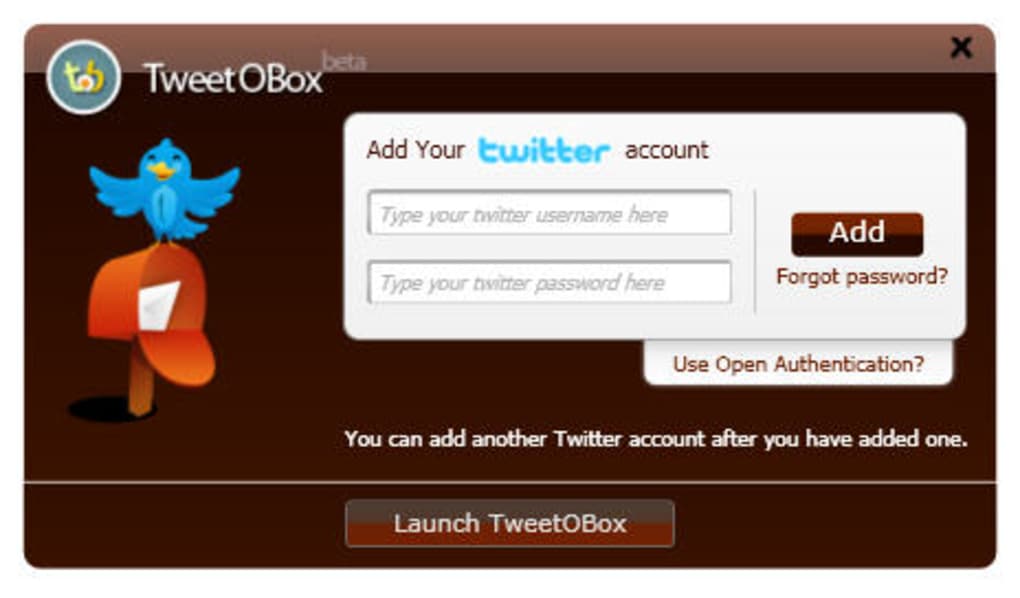
Once the installation finishes, launch TweetOBox. The first screen asks you to add a Twitter account. Although the UI is a bit confusing at first—requiring you to click “Add New Account,” then “Authorize,” and finally paste an OAuth token—the process mirrors Twitter’s standard OAuth flow, keeping your credentials safe. After linking the first account, you can repeat the steps to add additional profiles; the client stores them locally in an encrypted file.
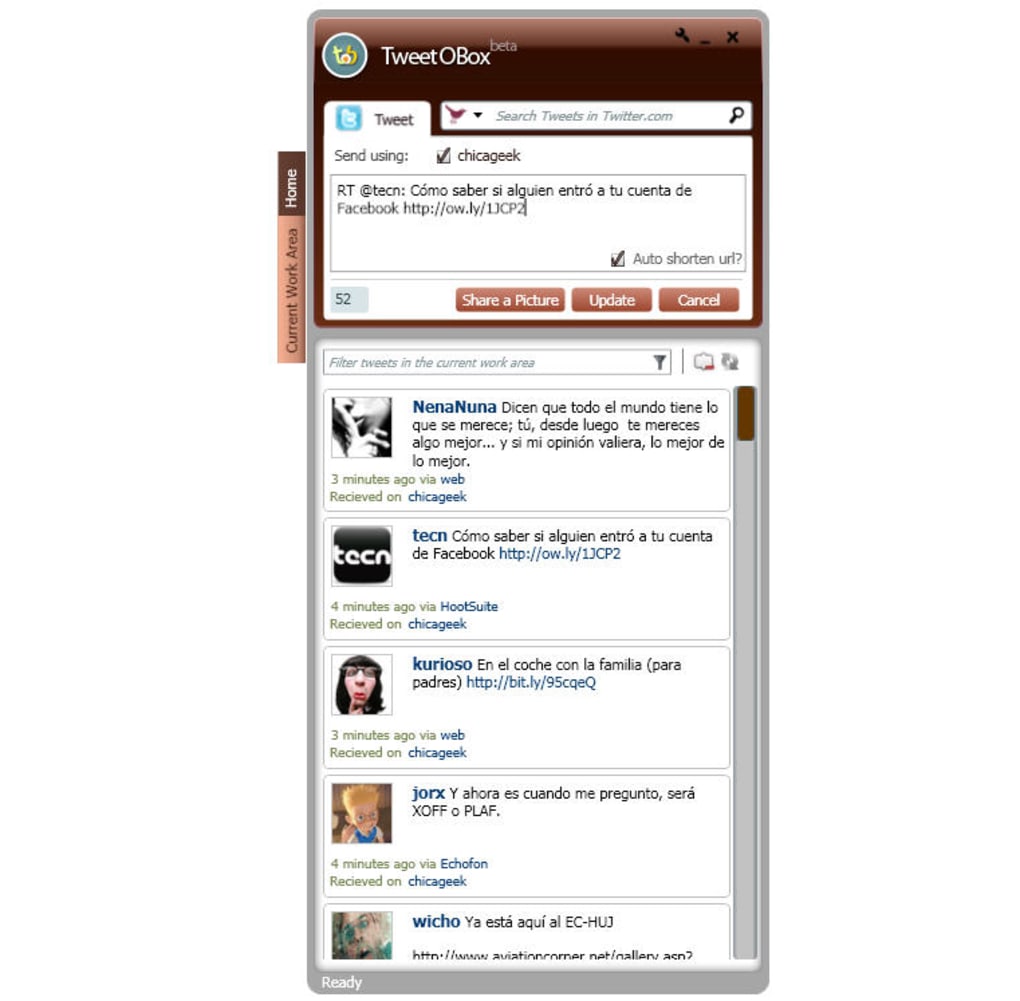
For daily use, the main window is divided into three panes: a left sidebar with account selection and shortcuts, a central timeline feed, and a right pane that shows tweet details, replies, and media previews. You can compose a new tweet using the text box at the bottom, attach photos by dragging files onto the composer, or schedule a tweet for later (a feature added in version 2.1). The built‑in search bar at the top lets you filter tweets by keyword, user, or hashtag, while the “Lists” tab gives you quick access to any curated lists you follow.
Overall, the workflow is intuitive once you become familiar with the initial account setup. The client’s lightweight design means it starts instantly, consumes minimal RAM, and stays out of the way when you’re focused on other tasks.
Compatibility, System Requirements, and Stability Overview
TweetOBox runs on Windows 7 and newer, macOS 10.12 (Sierra) and later, and major Linux distributions that support Adobe AIR (Ubuntu, Debian, Fedora). The application requires at least 150 MB of free disk space and 256 MB of RAM, though typical usage consumes under 100 MB of RAM after launch. Because it is built on the AIR runtime, the software inherits the cross‑platform benefits of AIR, but it also means you need a compatible version of the runtime installed. The developer provides bundled AIR installers for each OS, simplifying the process for non‑technical users.
Stability is where TweetOBox shows its growing pains. During extensive testing, the client occasionally froze when loading large timelines or when switching between accounts rapidly. A forced restart of the application resolved most hiccups, but the lack of an auto‑reconnect feature can be frustrating for power users. Crash reports indicate that memory leaks in the AIR layer are the primary cause, and the development team has promised a fix in an upcoming patch.
Despite these issues, the app remains secure. All communication with Twitter’s API occurs over HTTPS, and OAuth tokens are stored in an encrypted format. The developer does not embed any third‑party trackers, which aligns with the expectations of privacy‑conscious users.
Pros
- Free to download and use with regular updates.
- Supports multiple Twitter accounts without constant re‑login.
- Integrated Twitter Lists and powerful search capabilities.
- Clean, responsive UI that stays out of the way.
- Low system resource usage compared to web browsers.
- Secure OAuth authentication and encrypted token storage.
Cons
- Occasional instability and occasional freezes on large timelines.
- Account‑addition workflow can be confusing for new users.
- Relies on Adobe AIR, adding an extra runtime dependency.
- Limited advanced analytics or scheduling features compared to premium clients.
- No native Windows Store or macOS App Store packaging.
Frequently Asked Questions
Is TweetOBox completely free?
Yes, TweetOBox is free to download and use. The developer funds the project through optional donations and does not display ads or charge for core features.
Do I need an Adobe AIR license to run TweetOBox?
No separate license is required. The installer includes the latest free Adobe AIR runtime, which is automatically installed if missing.
Can I use TweetOBox on a Linux machine?
Yes. TweetOBox provides a .deb package for Debian‑based distributions and works on most Linux systems that support Adobe AIR.
How secure is my Twitter data in TweetOBox?
All communication uses HTTPS, and OAuth tokens are stored in an encrypted local file. No third‑party analytics are embedded, keeping your data private.
Will TweetOBox receive future updates?
The developer has committed to regular updates, focusing on stability improvements and minor feature enhancements. Users can enable automatic update checks within the app’s settings.
Conclusion & Call to Action
TweetOBox offers a compelling blend of essential Twitter functions and a few advanced tools that are rarely found in free desktop clients. Its multi‑account support, List integration, and built‑in search make it attractive for social media managers, journalists, and power users who need quick, offline access to their feeds. While the reliance on Adobe AIR and occasional instability prevent it from being a flawless solution, the app’s lightweight design, secure authentication, and zero cost make it worth trying, especially for users who prefer a dedicated desktop environment over a browser tab.
If you’re looking for a free, secure way to stay on top of multiple Twitter accounts without cluttering your browser, download TweetOBox today and experience a cleaner, more focused Twitter workflow. Keep an eye on the official website for upcoming patches that aim to smooth out the remaining rough edges.
TweetOBox is a promising, free Twitter desktop client that shines in multi‑account handling and list management but still suffers from occasional crashes and a confusing onboarding process. Overall, it delivers good value for users who need a lightweight, secure Twitter client.







